
blog
API & Token Design. The secure way.
The Internet, Web Apps and Websites would not work today without the use of API and Auth-Tokens. And everyone believes, implementing Auth-Tokens as the Framework Documentation tells you, is secure...

The CaveCats Guide to Auth Tokens, API Keys & the Network Layer Trap
Once upon a time, in a dimly lit cave, a clan of CaveCats discovered fire — and shortly after, they discovered APIs. They connected their cave-frontend to a mighty backend deep in the mountain. Everything worked. Until one curious CaveCat opened the Browser Console and saw everything.
This is their story. And yours.
What Are Auth Tokens & API Keys?
Before we dig into the dangers, let's align on what we're dealing with:
- API Keys — Static secrets used to identify a client application. Think of them as a cave password carved into stone. They rarely change and grant broad access.
- Auth Tokens (JWTs, Session Tokens) — Short-lived, user-specific credentials that prove who you are and what you're allowed to do. They expire. They rotate. They're the better approach — but they're not bulletproof either.
- Refresh Tokens — Long-lived tokens stored securely, used only to obtain new auth tokens when the current one expires.
The Standard Flow: Frontend ↔ Backend
The typical authentication flow between a frontend (browser) and a backend API looks like this:
- User logs in with credentials (username/password, OAuth, etc.)
- Backend validates and returns an access token (short-lived) and a refresh token (long-lived)
- Frontend stores the access token and attaches it to every API request via the
Authorization: Bearer <token>header - When the access token expires, the frontend uses the refresh token to get a new one
Simple enough. The CaveCats implemented this in an afternoon. But here's where the cave walls started to crumble.
The Browser Console: Your Tokens Are Naked
Here's the uncomfortable truth that framework documentation rarely emphasises:
Everything your frontend JavaScript can access, a human (or attacker) can see in the browser.
Open your browser's Developer Tools right now. Go to the Network tab. Click on any XHR/Fetch request. Look at the Request Headers. There it is — your Authorization: Bearer eyJhbGciOiJIUzI1NiIs... in plain text.
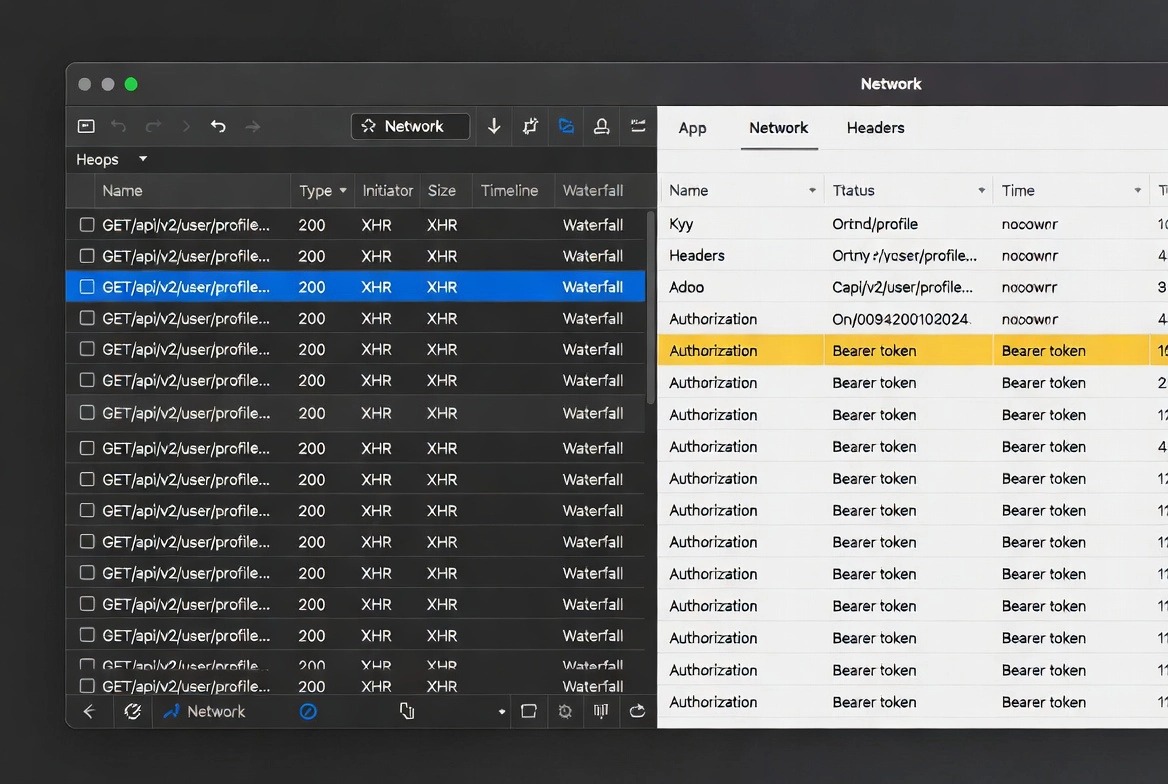
This isn't a bug. It's how browsers work. And it creates several attack surfaces:
1. Token Theft via XSS (Cross-Site Scripting)
If an attacker injects malicious JavaScript into your app — through a vulnerable input field, a compromised third-party script, or an ad network — they can:
- Read tokens from
localStorageorsessionStorage - Intercept
fetch()orXMLHttpRequestcalls and extract headers - Exfiltrate tokens to an external server
The CaveCats stored their JWT in localStorage because a tutorial told them to. A single XSS vulnerability later, an intruder had full access to the cave treasury.
2. Token Visibility in Network Logs
Every request carrying a Bearer token is logged in:
- Browser DevTools (Network tab)
- Browser extensions with network access
- Corporate proxy servers and firewalls
- CDN and reverse proxy access logs
- Server-side access logs
Even with HTTPS (and you must use HTTPS), the token is visible to anything that sits between the TLS termination point and your application code.
3. Man-in-the-Browser Attacks
Malicious browser extensions can read every request, every header, every cookie. They operate inside the TLS tunnel. HTTPS does nothing to protect you here.
{Diagram: A layered diagram showing where tokens are visible — Browser Memory, Network Tab, Browser Extensions, Proxy/CDN Logs, Server Logs — with a red "EXPOSED" marker at each layer and HTTPS only protecting the wire between client and server}
Where Tokens Live: The Storage Problem
The CaveCats debated long and hard about where to store their tokens. Here's the tradeoff matrix they drew on their cave wall:
| Storage Method | XSS Vulnerable | CSRF Vulnerable | Survives Refresh | Recommendation |
|---|---|---|---|---|
localStorage | Yes | No | Yes | Avoid for tokens |
sessionStorage | Yes | No | No (tab only) | Slightly better, still risky |
| JavaScript variable (memory) | Yes (if XSS) | No | No | Good for access tokens |
HttpOnly cookie | No | Yes (mitigable) | Yes | Best for refresh tokens |
The winner? A hybrid approach:
- Access tokens → In-memory JavaScript variable. Never touches storage APIs. Short-lived (5–15 minutes).
- Refresh tokens →
HttpOnly,Secure,SameSite=Strictcookie. JavaScript cannot read it. The browser sends it automatically, but only to your domain.
The Backend-to-Backend Layer: Where Secrets Should Stay
The CaveCats made another critical mistake: they called third-party APIs directly from the browser, embedding API keys in frontend JavaScript.
Never do this.
API keys for third-party services (Stripe, OpenAI, Twilio, etc.) must never be in frontend code. Even environment variables bundled at build time (like NEXT_PUBLIC_* or VITE_*) are baked into the JavaScript bundle and fully readable by anyone.
The Proxy Pattern
The correct approach is to route all sensitive API calls through your own backend:
// Frontend: calls YOUR backend (no secrets)
fetch('/api/payment', { method: 'POST', body: JSON.stringify(data) })

// Backend: calls Stripe with the secret key
const stripe = new Stripe(process.env.STRIPE_SECRET_KEY)
await stripe.charges.create(data)
Your backend becomes a secure proxy. The API key lives in server-side environment variables — never in a browser, never in a git repository, never in a client bundle.
Common Leakage Vectors the CaveCats Discovered
After their initial breach, the CaveCats conducted a thorough security audit. Here's what they found:
Leakage Vector 1: Error Messages
Their API returned detailed error responses that included internal headers, token fragments, and stack traces. An attacker could piece together token structure and signing secrets from verbose error messages.
Leakage Vector 2: URL Query Parameters
Some legacy endpoints accepted tokens as URL query parameters: /api/data?token=eyJ.... These tokens ended up in browser history, server logs, referrer headers, and analytics platforms.
Leakage Vector 3: Git Repositories
A junior CaveCat committed an .env file with production API keys. Even after removing it, the keys lived forever in git history. Secret scanning tools exist for a reason — use them.
Leakage Vector 4: Third-Party Scripts
Analytics, chat widgets, and ad scripts loaded on the same origin could access cookies (non-HttpOnly), localStorage, and even intercept network requests. Every third-party script is a potential spy in your cave.
A Secure Token Architecture
After learning from their mistakes, the CaveCats redesigned their authentication system. Here's the architecture they landed on:
Frontend (Browser)
- Access token stored in memory only (JavaScript closure or state management)
- Refresh token in an HttpOnly, Secure, SameSite=Strict cookie
- No API keys — all third-party calls proxied through the backend
- Strict Content Security Policy (CSP) to block XSS
- Subresource Integrity (SRI) on all external scripts
Backend (API Server)
- Short-lived access tokens (5–15 minutes)
- Refresh token rotation — every use invalidates the old token
- Token binding — tokens tied to device fingerprint or IP range
- Rate limiting on token refresh endpoints
- All third-party API keys in server-side environment variables only
Network Layer
- HTTPS everywhere — no exceptions
- HSTS headers to prevent SSL stripping
- Certificate pinning for mobile apps
- Minimal logging — never log full tokens, only token IDs or hashes
Practical Checklist
Before you ship, run through this list. The CaveCats printed it out and nailed it to their cave entrance:
- Never store tokens in localStorage or sessionStorage — Use in-memory for access tokens, HttpOnly cookies for refresh tokens
- Never expose API keys in frontend code — Not in JavaScript, not in HTML, not in environment variables prefixed with
PUBLICorNEXT_PUBLIC - Never pass tokens in URL query parameters — Use the
Authorizationheader instead - Always use HTTPS — And enforce it with HSTS
- Implement CSP headers — Block inline scripts and restrict script sources
- Rotate refresh tokens — Invalidate old tokens on each use
- Set short expiry on access tokens — 5–15 minutes maximum
- Audit third-party scripts — Every external script is a potential attack vector
- Scan your git history — Use tools like
truffleHogorgit-secrets - Log token hashes, never full tokens — If a log is compromised, tokens remain safe
The Moral of the Cave
The CaveCats learned the hard way that security isn't a feature — it's a mindset. The browser is a hostile environment. The network is a public highway with tinted windows. And every token, every key, every secret that touches the frontend is one XSS vulnerability away from being stolen.
The framework documentation gets you running. But it rarely tells you where the cliffs are.
Build like the CaveCats — assume the cave has ears.