
blog
PVYslide & PVYai Slide Studio
Anyone who creates presentations for work, for an association, or for an event knows that creating and structuring content is not such a simple task.
You have to-or want to-present certain information in an easy-to-understand way, so that it provides value to the audience or viewer without boring them or even putting them to sleep.
And then there are annoying but useful things like communication guidelines and corporate design standards that must be followed in terms of color, typography, and graphics.
Creating a good presentation, revising it, letting it sit, gathering feedback, and refining it often takes several days. And every viewer sees it a little differently.
Then there may also be the organization's perspective: beyond a certain size, it needs predesigned templates for each department or domain, depending on product line, division, regional market, channel, and language.
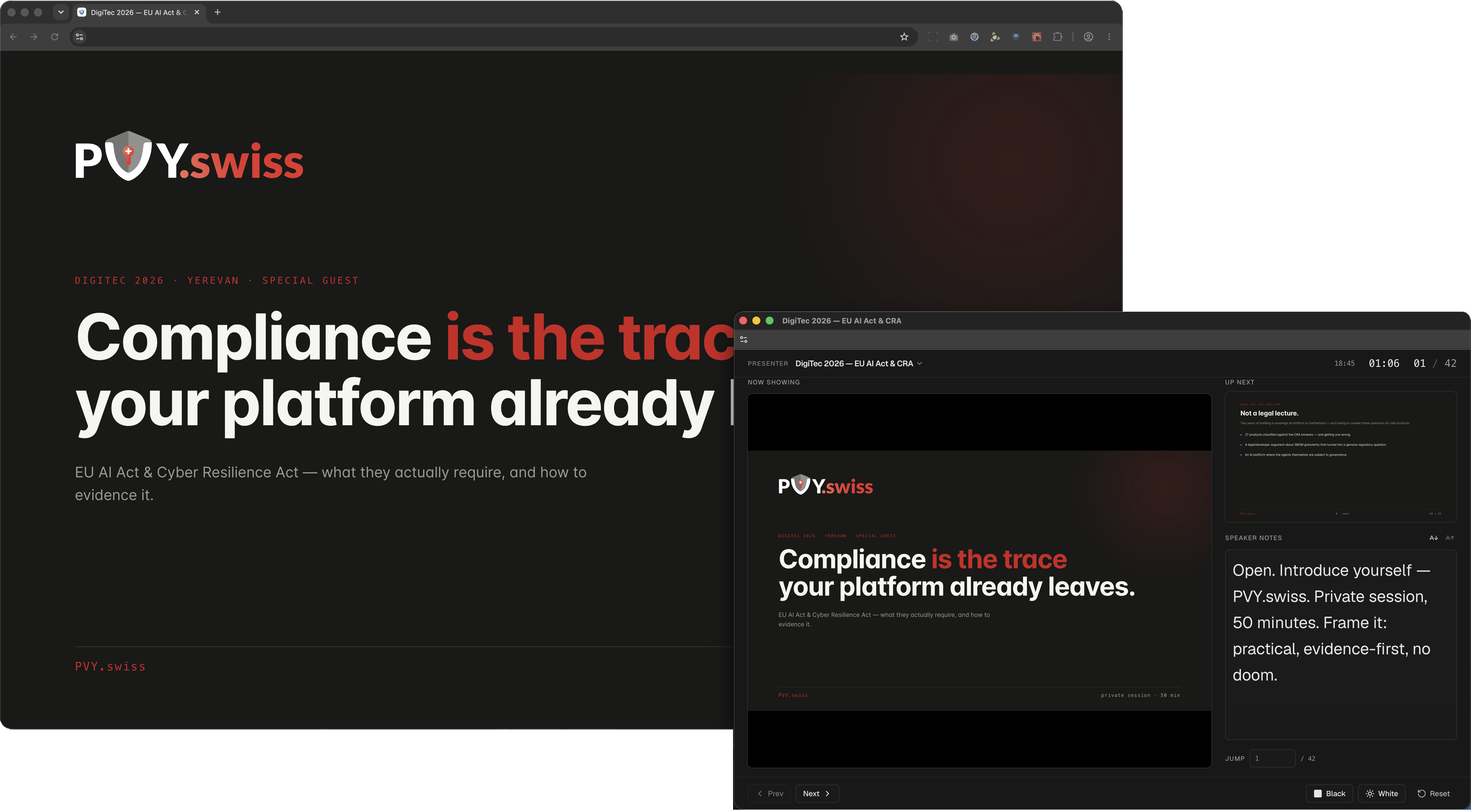
PVYslides makes it easy for any user to give presentations created from templates in a conference room or a web meeting after creating them, or to download them as PowerPoint (PPTX), PDF, or HTML files. All of this is web-based, including presenter mode and notes, with output to two separate screens or different video outputs-for example, the presentation on the projector and everything else on the laptop. Everything stays synchronized, with a maximum latency of 2 milliseconds.
PVYai Slide-Studio
PVYai Slide Studio picks up right where the introduction above left off. The difference is that the department head or managing director no longer creates the presentation templates or the presentation; PVYai does.
Presentation templates can be created in a dark or light design and set up once by the AI for different topics or product lines, organized, and saved in folders as templates.
The user prepares a folder or an Obsidian vault containing a text file or Markdown file, images, and, if needed, a description or table for charts. They add an introduction explaining what needs special attention when creating the presentation and what message needs to come across. PVYai takes care of the rest.
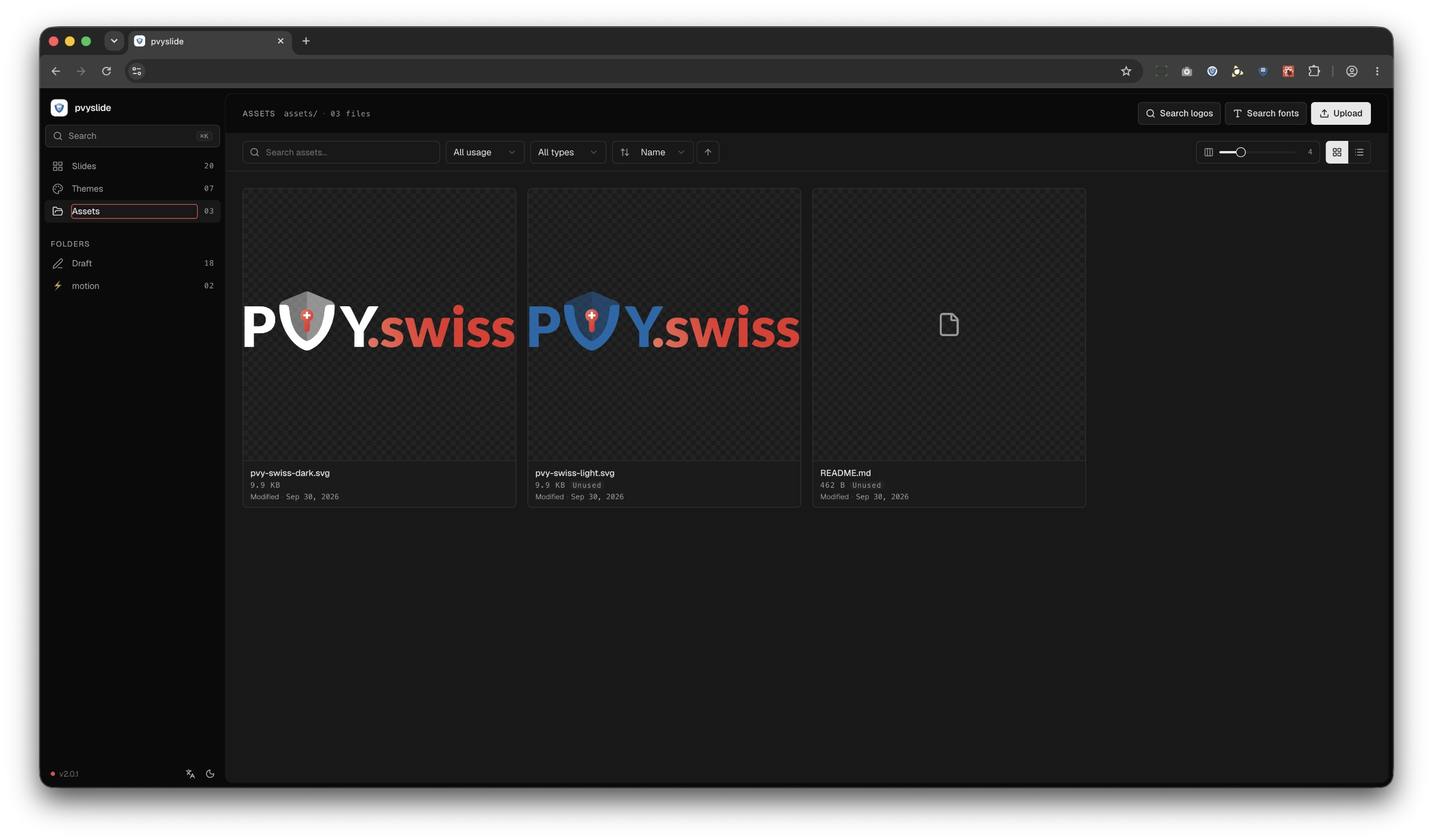
PVYai Slide Studio offers an asset manager that can handle vector graphics, image files in various formats, GIFs, and video. You can upload these manually, either globally, so they're available in all presentations, or just to a specific template or presentation.
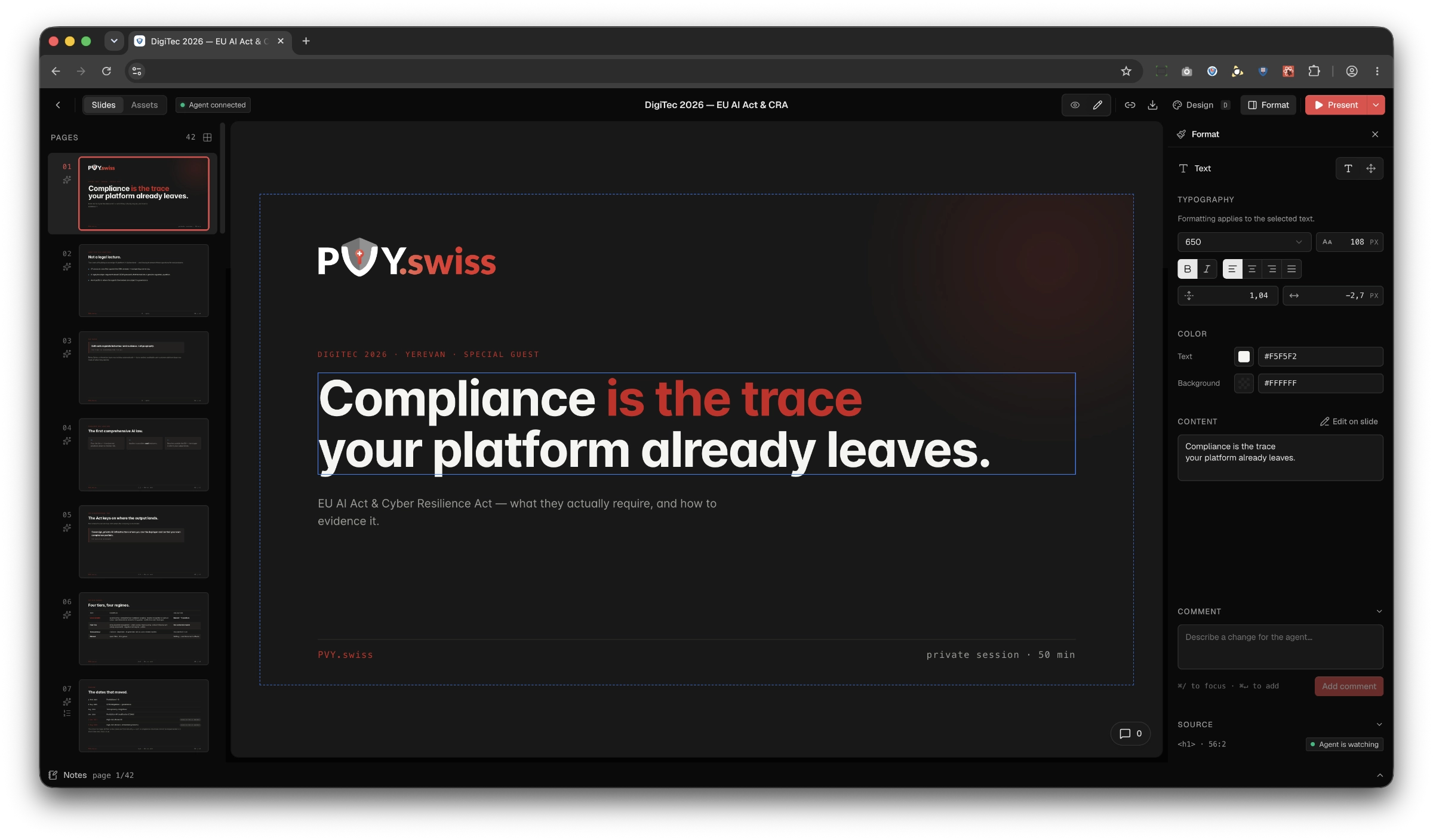
Of course, you can edit directly on a slide or page, add images or video, and add visual accents, but PVYai creates the structure and basic content.
And it does so faster and more precisely, always getting to the point so that the key messages come across, even in different languages. The PVYai agent always keeps an eye on the presentation. It tracks your changes, corrections, and visual accents, and also suggests presenter notes.
It can also check key messages, values, and claims against hard facts and correct them, whether the data comes from a CRM, e-commerce, accounting, market research, a study, or a product test. It does so precisely, in a way that makes presenting a genuine pleasure. Because you couldn't do it better yourself. And certainly not faster. Of course, it can also view slides and content with animations and transitions. It can even morph objects-in other words, seamlessly animate a square into a circle.
As the person responsible for marketing, you can use PVYai Researcher to start a research project or market analysis. PVYai Research may then offer a follow-up prompt: 'Would you like me to create a presentation or a chart using these facts?' If you confirm, it will ask which of the available presentation templates you would like to use and automatically add animations wherever it deems appropriate. If you later download the presentation as a PPTX file and view it in PVYoffice or MS Office, it will look absolutely identical to how it appears in PVYslide, down to the pixel.
In addition to PVYai Researcher, this is also available for PVYai Analyst, PVYai System Architect, and PVYai Senior Lead Developer. It can also draw directly from PVYbusiness OS, using current sales figures and revenue trends. If desired, it can compare these with the previous quarter. If a campaign has run, it can correlate the campaign results with those figures and create the corresponding charts for your slides.
The PVYslide Studio feature and its permissions can be enabled for any PVYai model with a checkbox, once granted, it will be available immediately over our Unified SSE API.
For Users and User Groups we made a simple but powerful ACL Matrix, integrated into the Unifed SSE API and Hybrid Path for the Web-UI.
Since only a few People shall be granted to create new PVYslide Templates and Presentations using PVYai, anybode else just can present what has been crafted, we have 2 Levels for Permissions:
User Group Level
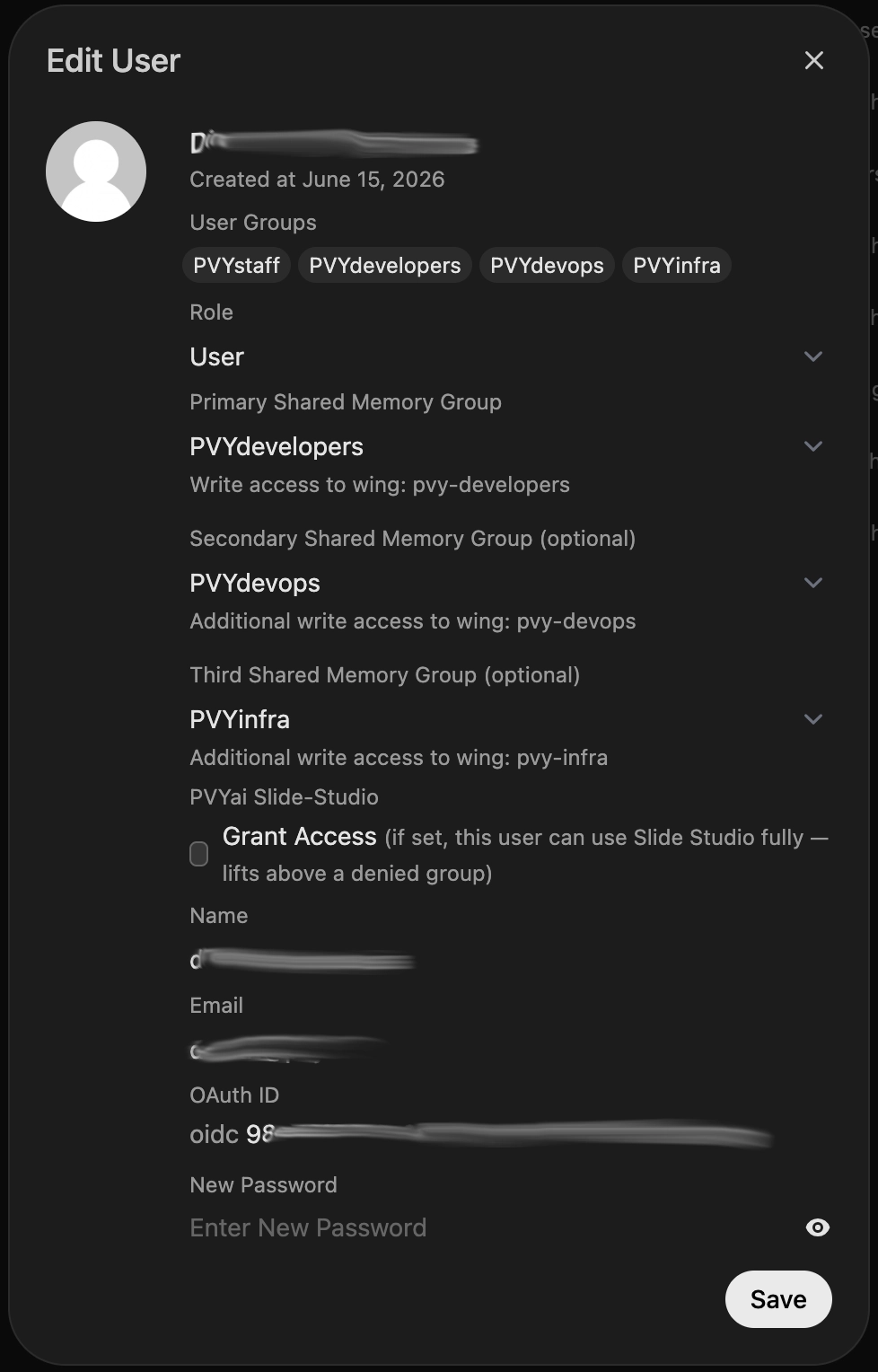
You can grant access to PVYai Slide Studio for an entire User-Group, (Default is set to false):
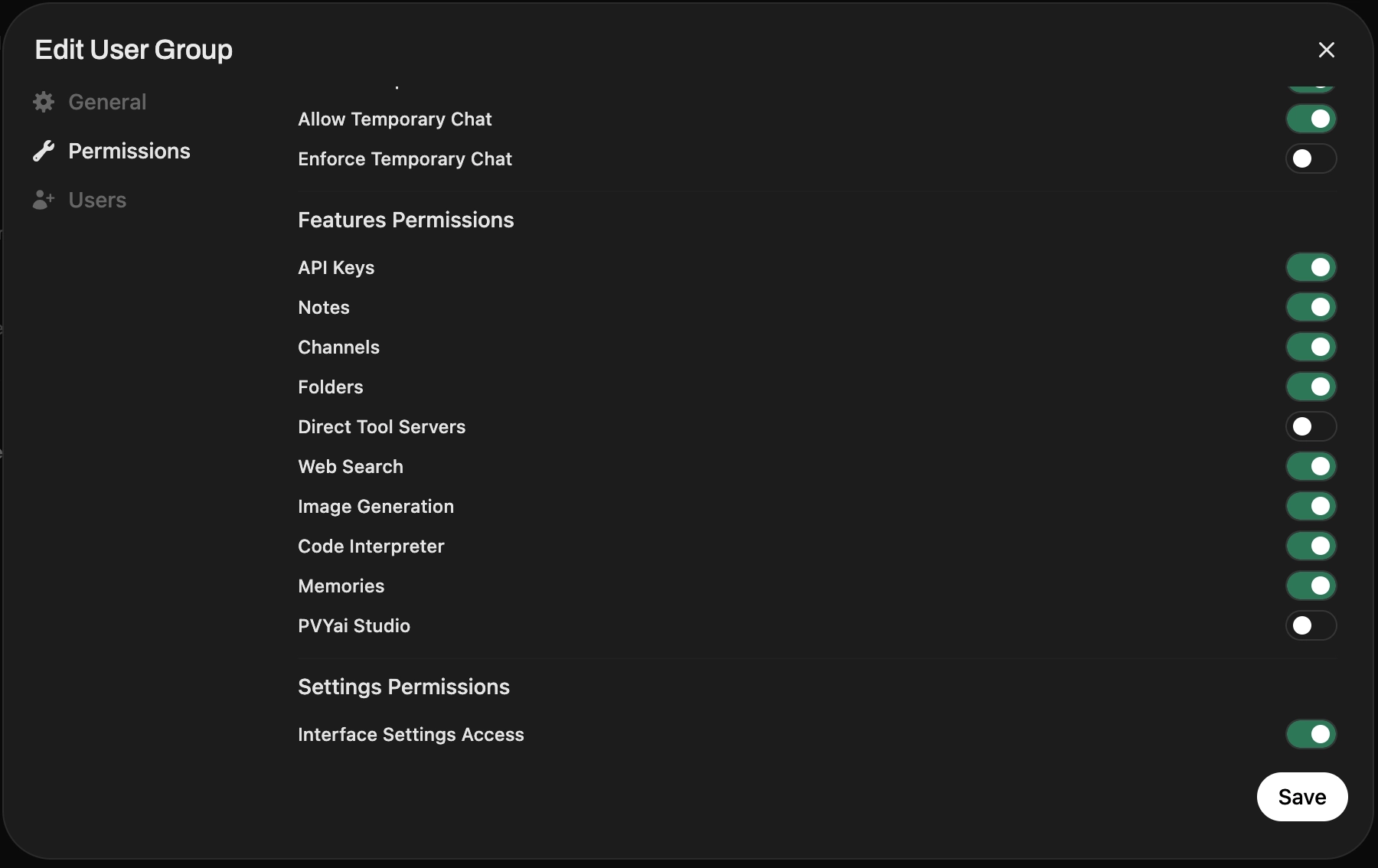
Or, if on User-Group the Access is denied, you can lift an particular user up, to get Access using PVYai for PVYai Slide Studio, the way for Team Leaders or Key Accounters, my enabling the Checkbox "Grant Access":
Corporate Governance and Corporate Guidance
PVYai Slide Studio is integrated into PVYai's permissions matrix. This means you can define precisely which of your user groups are allowed to create presentations or templates with PVYslide Studio and PVYai. Everyone else can just present existing presentations, downloading them in various formats but cannot create their own.
PVY.swiss follows with its PVYslide the Best practices and Recommendation for:
- Corporate Policies
- Brand Compliance
- Communication Guidelines for Sales & Investor Presentations
issued by: EY, Delloite, McKinsey and PWC, proven and validated over the past decade with extensive Research by Gartner Institute and known Universities. And this results into:
Hardwired Presentation Templates
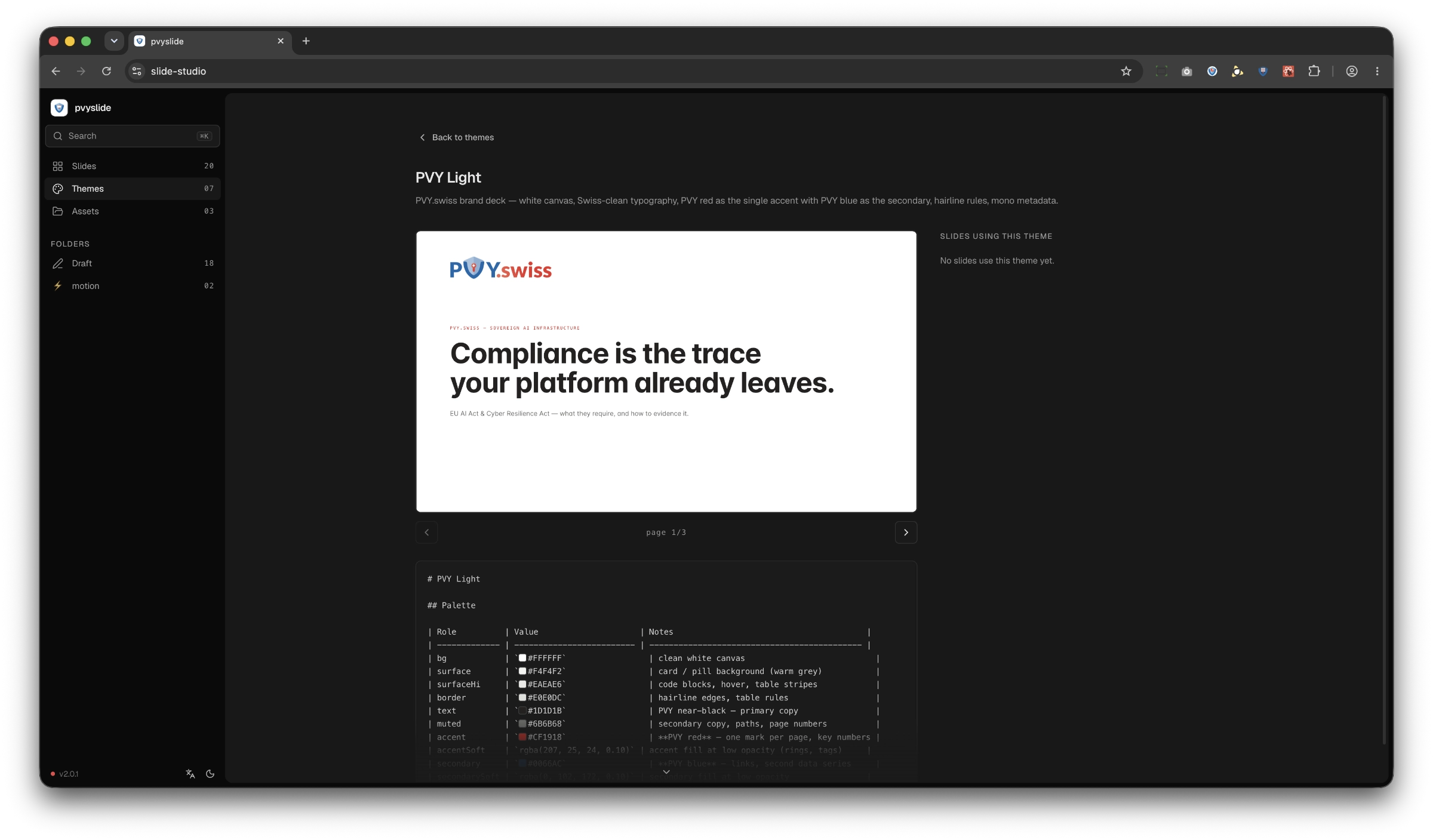
Once saved as final Presentation Template, all created Presentation out of it has the same Typographies, Boxes, Diagramm-style and so one.
Regardless if you do just 3 or 10 different Slide for a particular Template, with Video or Image Place Holder for Drag&Drop, all Presentations made out of it, features these Settings. You can also instruct PVYai to hardwire in the markdown file used for the Template transition type, animation effects, which then will be applied on Tables, Diagramms or when you click as user on presentation into the "Next" Button.
PVYai Slide Studio Tools - native in our Unified SSE API
Thanks to our innovative OpenAI API-compatible interface, any AI-capable endpoint, any 'permitted' LLM / PVYai model, and any user can operate PVYai Slide Studio in parallel through native function calls, controlled by the user API token, provided the user is assigned to the appropriate permissions matrix.
This allows the LLM to execute the commands to create a new slide, visuals, animation of elements in over 30 native tool calls rather than using bash and curl in serial against the PVYslide Studio API.
Of course, PVYai can also retrieve and incorporate information from PVYai Memory or the organization-specific knowledge base.
What does this mean?
If your ERP/CRM such as PVYbusiness OS has AI Integration, you fire up one Sentence in the Chat Box using PVYai: "Please create me a new Presentation with all relevant figures from the last quarter versus previous quarter, in terms of Sales Turnover, Weigted Opportunities, made Updates, Include Issue Tracker and present them in correlation to each other, based on "PVY Light Theme Sale". Once done, it will issue you the Link to the freshly created "Q2-Q3 Business Development" Presentation - in your Corporate Design with Facts & Figures matters.
You’ll be speechless with amazement when you realize how many hours you’ve just saved on data analysis and presentation design.
Using PVYai's 'Scheduler' feature, you can set up presentations to be created automatically on a recurring basis-for example, at quarter-end. PVYai gathers all the relevant information from your data silos and prepares it for you.
Can I import or re-use my existing Apple Keynote or PPTX presentations?
Yes, you can!
Simply export your existing presentation or presentation template as HTML into a folder of your choice, then reference the path to that exported folder for the PVYai model — either in PVYai Buddy, OpenCode Desktop, or the PVYai TUI Agent. The model can then re-create the presentation (or the template) for you in PVYai Slide-Studio.
Please keep in mind: PVYslide is more advanced when it comes to animations and transitions (it has full morphing support) and is also structured differently. However, you can still re-create the same look and feel — or benefit from suggestions for a re-design.