
blog
PVYai Agent: The Sovereign Coding Agent That Runs Anywhere
A terminal-based AI coding assistant with 28+ model providers, multi-agent orchestration, and Swiss sovereignty — all in a single Go binary.
The Problem with Current Coding Agents
Claude Desktop, Codex, Cursor, and similar tools share a common flaw: they're cloud-first, platform-locked, and resource-heavy. They require persistent internet connections, tie your code to a single provider, and run on Electron/Node.js stacks that consume hundreds of megabytes of RAM just to idle.
For developers who care about sovereignty, PriVacY, and infrastructure freedom, these constraints are unacceptable.
The PVYai Solution
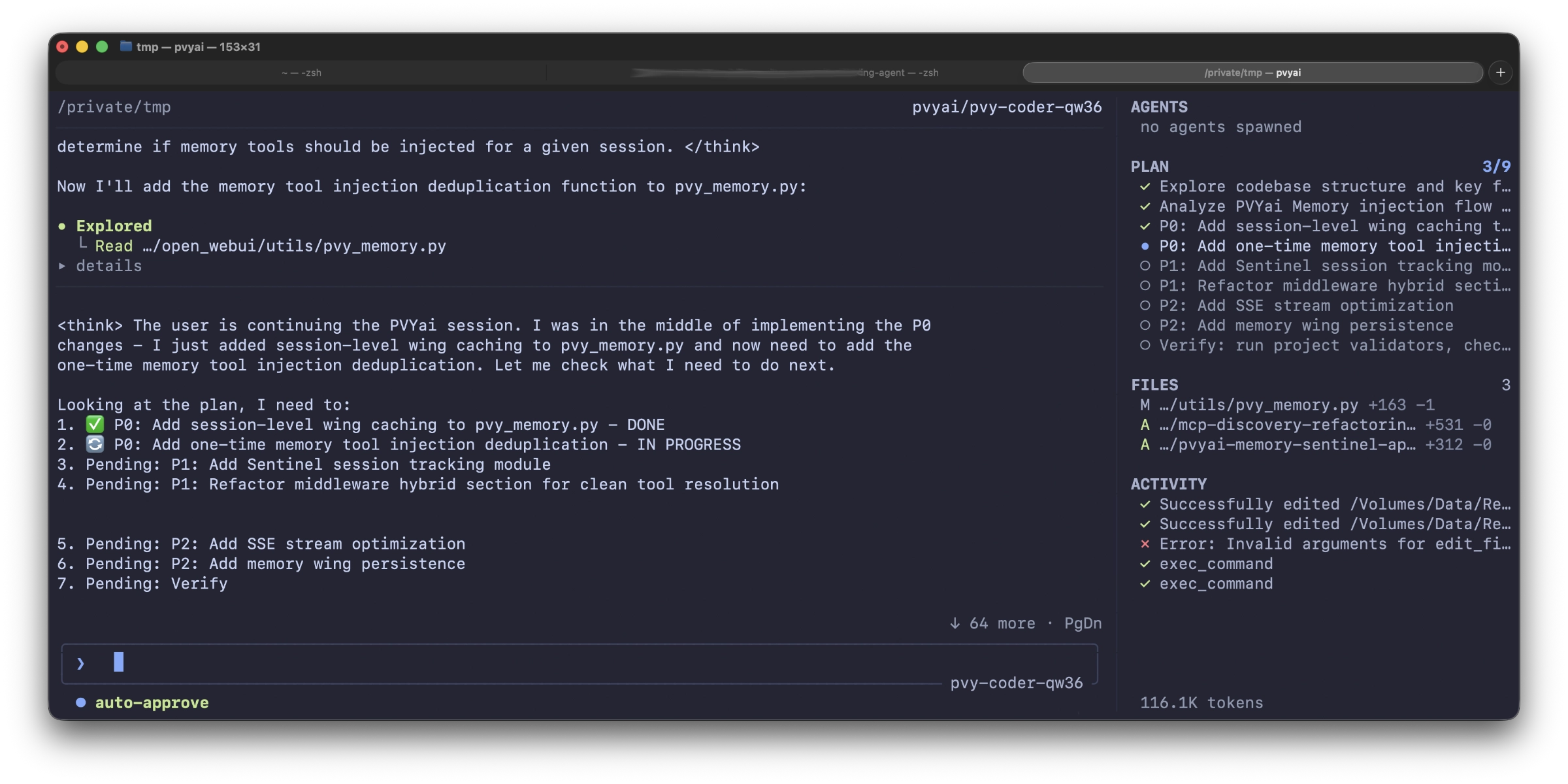
PVYai Agent is a terminal-based AI coding assistant built as a single Go binary. It runs in your shell, reads and writes your codebase, executes commands, and manages multi-agent workflows — all from a lightweight TUI (terminal user interface) built with Bubble Tea.
It weighs in at ~256MB of RAM and runs on any machine that can run a terminal.
Install Anywhere
1# Via npm (recommended) 2npm install -g @pvyswiss/pvyai 3 4# Or direct download (macOS, Linux, Windows) 5curl -L https://github.com/pvyswiss/pvyai-coding-agent/releases/latest/download/pvyai-v0.x.x-macos-arm64.tar.gz | tar xz 6sudo mv pvyai /usr/local/bin/
That's it. One binary. No Electron. No Node.js. No persistent cloud dependency.
1cd your-project 2pvyai
On first launch, the provider wizard walks you through choosing a model provider — or skip it entirely and set PVYAI_API_KEY to use the recommended PVY.ai Platform (Swiss sovereign AI on B300 GPUs). or just paste your API Key from your PVYai User Account into the TUI.
What Makes PVYai Different
1. 28+ Model Providers — Not Locked to One
PVYai ships with 28+ built-in providers. Switch between them at runtime with /model or /provider — no configuration file edits required.
| Provider | Use Case |
|---|---|
| PVY.ai Platform ★ | Swiss sovereign AI, B300 GPU, no data leaves Switzerland your dedicated environment or Switzerland at all, fine-tuned PVYai Models with up to 1M Context |
| OpenAI | Full model catalog |
| Anthropic | Claude models with reasoning, vision, prompt cache |
| Gemini with 1M context | |
| OpenRouter | Multi-provider gateway with OAuth |
| Ollama Local | Run models locally on your machine |
| + 22 more | DeepSeek, Groq, xAI, Mistral, Bedrock, Vertex AI, and more |
Your code never belongs to a single vendor. Choose the right model for the right task:
1# Quick edit — use a fast, cheap model 2pvyai --mode fast "Fix the typo in line 42" 3 4# Complex architecture — use deep reasoning 5pvyai --mode deep "Design the authentication system" 6 7# Long context — use 1M window 8pvyai --mode large "Review the entire codebase and propose refactoring"
2. Multi-Agent Orchestration — Built In
Claude Desktop and Codex are single-agent tools. PVYai Agent natively orchestrates teams of agents.
Specialists — Delegate focused tasks to sub-agent processes:
@explorer find the authentication retry logic
@code-review review the last 3 commits
@worker implement the feature in internal/auth/
Each specialist runs as a real OS child process with its own model, tool allowlist, and reasoning effort. Read-only specialists (explorer, code-review) are auto-approved — no permission prompts.
Swarms — Coordinate multiple agents in teams with mailbox communication, task handoffs, and scheduling:
swarm_spawn(team="backend", agent_type="worker", task="Implement API")
swarm_spawn(team="frontend", agent_type="worker", task="Build UI")
swarm_send(to="frontend-worker", team="frontend", subject="API schema ready", body="...")
backend_results = swarm_collect(team="backend")
Teams of up to 8 concurrent members. Mailbox-based inter-agent communication. Scheduled recurring swarms. Pipeline workflows with handoffs between agent types.
Loops — Schedule recurring agent jobs with standard cron expressions:
1# Every 30 minutes: check CI status 2pvyai cron add "*/30 * * * *" --prompt "Check CI status for the current branch and report failures" 3 4# Daily 9 AM: progress summary 5pvyai cron add "0 9 * * *" --prompt "Write a short progress summary of what changed today"
3. Plan-Driven Development
PVYai enforces structure before action:
Spec Mode (/spec) — Forces the agent to plan before acting:
- Draft phase: Agent inspects the codebase in read-only mode and writes a detailed spec
- Review phase: You review, edit, approve or reject the spec
- Implementation phase: A fresh agent run executes the approved spec
Live Plans (update_plan tool) — The agent autonomously maintains a task list displayed as a live panel in your terminal:
┌──────────────────────────────────────────┐
│ PLAN                                      │
│ ◉ Add --version flag to main.go          │ ✓
│ ◯ Update README                          │ ✓
│ ◯ Add test                               │ ◌ in_progress
└──────────────────────────────────────────┘
4. Skills — Reusable Instruction Sets
Skills are SKILL.md files that the agent loads on demand. Install from git, create locally, or share with your team:
1pvyai skills add https://github.com/your-org/deploy-checks-skill.git
The agent proactively matches your request to available skills and loads their instructions — no manual invocation needed.
5. Evals — Validate Agent Behavior
PVYai includes a full evaluation harness for testing agent behavior:
1# Run a full benchmark across multiple models 2pvyai eval bench \ 3 --suite evals/regression.json \ 4 --agent-command "pvyai exec --cwd {workspace} --model {model} {prompt}" \ 5 --model claude-sonnet-4.5 \ 6 --model gemini-2.5-pro \ 7 --report-dir /tmp/eval-reports
Score your agent's output against verification commands, expected file changes, forbidden files, and trace events. Compare models side-by-side. Track improvement over time.
6. Swiss Sovereign AI by Default
The recommended provider is PVY.ai Platform — a Swiss sovereign AI endpoint running Open WebUI + several backends on NVIDIA B300 GPUs (282GB VRAM). Your code, your prompts, your data — never leaving Swiss jurisdiction.
- Qwen 3.6 35B MoE (3B active) at highspeed on our Infra tunneled to your environment
- 128K context window
- Zero external cloud dependency
- PVYai Sentinel security layer intercepts destructive commands at the SSE-stream level
7. Worktree Isolation
Run multiple agents in parallel on the same repository without interference:
1# Terminal 1: Refactor auth module 2pvyai exec -w refactor-auth "Refactor internal/auth/ to use interfaces" 3 4# Terminal 2: Add database tests (concurrent, zero interference) 5pvyai exec -w add-db-tests "Add integration tests for internal/db/" 6 7# Terminal 3: Continue your work (unaffected) 8pvyai
Each agent gets its own git worktree — a detached HEAD copy of your repo. Merge results with git cherry-pick when done.
8. Notifications — Stay Informed
When a long-running agent completes or needs your input, PVYai Agent notifies you via:
- Terminal bell — subtle audible cue
- Desktop notification — OSC-9 escape sequence, visible in Dock or SysTray
- Matrix / PVYmessenger webhook — HTML-formatted messages with avatar and display name and description
1export PVYAI_NOTIFY_WEBHOOK_URL="https://whapi.pvy.im/api/v1/matrix/hook/..." 2export PVYAI_NOTIFY_WEBHOOK_DISPLAY_NAME="PVYai Agent"
9. PVYai Sentinel & PVYai Memory Integration
Instead of working with the classic Model Eval and Evict schema (number of tool calls, number of turns), you can, if:
- A) You only use the LLM model provided by the PVYai platform (including all Anthropic, GLM, and DeepSeek models offered through it).
- B) You don't want to configure the Team Agents and Specialists.
Select the PVYai Sentinel Orchestrator, which automatically orchestrates the fine-tuned LLMs provided by PVYai for various tasks and roles, ensuring that the right model is used for each specific task in the plan.
This allows you to benefit from real-time analysis by PVYai Sentinel of how the models are performing for their planned use in the team, maximizing coding or team capacity instead of retiring a model shortly before a goal is reached, only to re-initialize it with fresh, empty context.
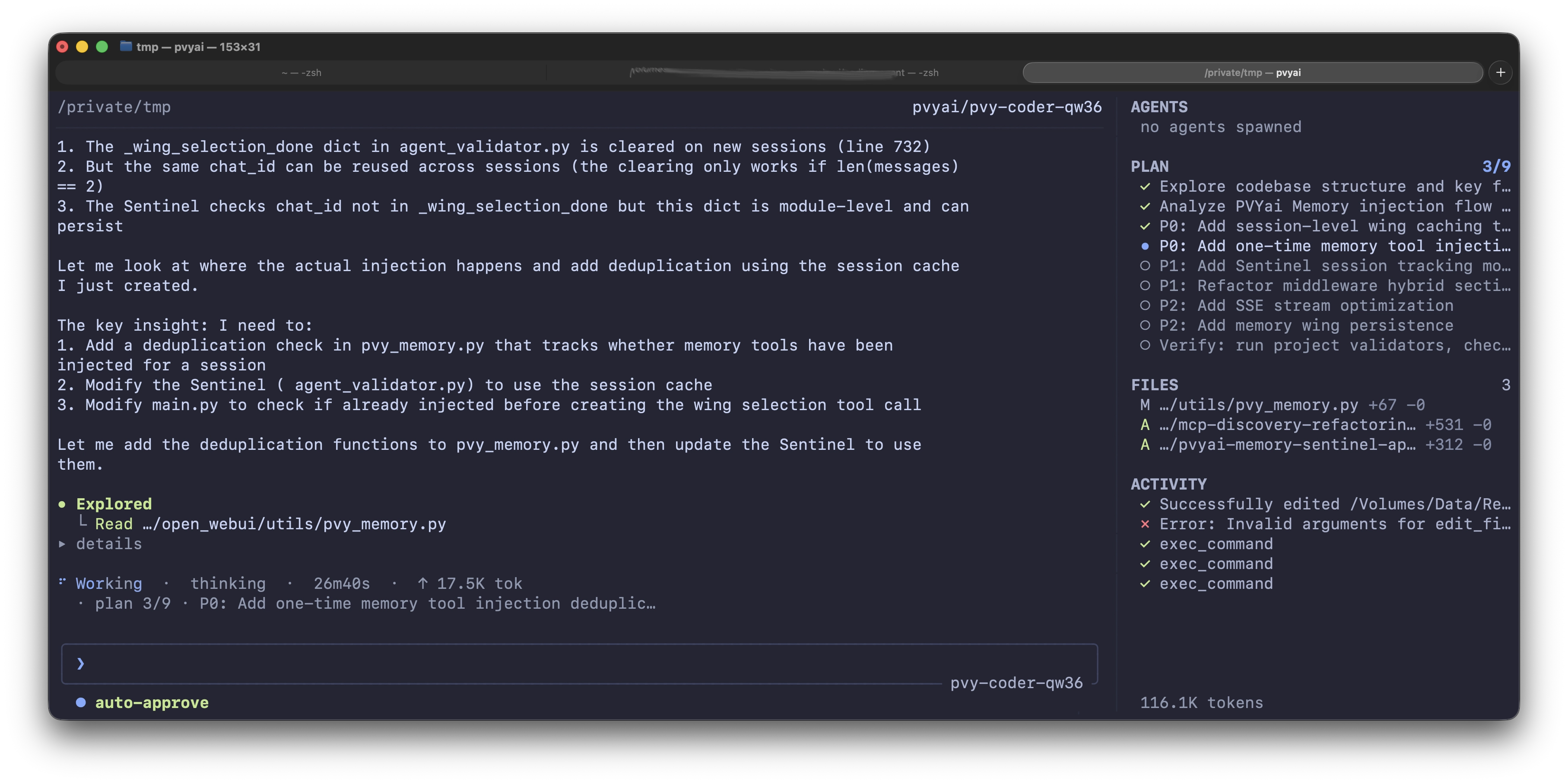
Furthermore, PVYai Memory is available for all (including manually orchestrated agents and specialists) for use in the PVYai Agent, as well as (which can be enabled or disabled) PVYai Sentinel Safeguarding, which monitors the planned interactions of the agents with the code or infrastructure in real time.
Feature Comparison
| Feature | PVYai Agent | Claude Desktop | OpenAI Codex | Cursor |
|---|---|---|---|---|
| Binary size | ~256MB RAM, single Go binary | Electron (~800MB+) | Cloud-only | Electron (~600MB+) |
| Install anywhere | ✓ Any terminal, any OS | macOS/Windows only | Web browser | VS Code extension |
| Model providers | 28+ (PVY, OpenAI, Anthropic, Google, Ollama, +22 more) | Anthropic only | OpenAI only | Multiple (paid tiers) |
| Local models | ✓ Ollama, LM Studio, any OpenAI-compatible | ✗ Cloud only | ✗ Cloud only | Limited |
| Multi-agent orchestration | ✓ Specialists, Swarms, Loops | ✗ | ✗ | Limited |
| Plan-driven development | ✓ Spec mode + live plans | ✗ | ✗ | Basic |
| Skills system | ✓ Reusable SKILL.md sets | ✗ | ✗ | Prompt libraries |
| Eval harness | ✓ Full benchmark framework | ✗ | ✗ | ✗ |
| Worktree isolation | ✓ Parallel agents, zero interference | ✗ | ✗ | ✗ |
| Cron loops | ✓ Scheduled recurring agents | ✗ | ✗ | ✗ |
| Swiss sovereignty | ✓ Default provider | ✗ | ✗ | ✗ |
| Open source | ✓ GitHub releases | ✗ | ✗ | Partial |
| OAuth login | ✓ OpenRouter, xAI, ChatGPT, Hugging Face | ✗ | ✗ | ✗ |
| Permission modes | ✓ ask / auto / unsafe / spec-draft | ✗ | ✗ | Basic |
| Session lineage | ✓ Fork/rewind/trace | ✗ | ✗ | ✗ |
Architecture
┌─────────────────────────────────────────────────────┐
│                    Your Terminal                     │
│                                                      │
│  ┌──────────────────────────────────────────────┐   │
│  │  PVYai TUI (Bubble Tea)                      │   │
│  │  ┌────────────────────────────────────────┐  │   │
│  │  │  you: Refactor the auth module          │  │   │
│  │  │  PVYai: ◌ explorer · ✓ worker · ◌ plan │  │   │
│  │  │  > _                                   │  │   │
│  │  └────────────────────────────────────────┘  │   │
│  └──────────────────────────────────────────────┘   │
│           │          │          │                     │
│     ┌─────┘    ┌────┘    ┌───┘                        │
│     ▼          ▼        ▼                              │
│  @explorer  @worker  @code-review                     │
│  (read-only) (edit+exec) (read-only)                  │
│     │          │        │                              │
│     ▼          ▼        ▼                              │
│  pvyai exec  pvyai exec  pvyai exec                   │
│  (child proc) (child proc) (child proc)               │
└─────────────────────────────────────────────────────┘
            │
            ▼
    ┌───────────────┐
    │  Model Router  │
    │               │
    │ PVY.ai ★      │  ← Swiss sovereign (default)
    │ OpenAI        │
    │ Anthropic     │
    │ Ollama Local  │
    │ + 24 more     │
    └───────────────┘
Getting Started
Quick Start (PVY.ai Platform — Recommended)
1npm install -g @pvyswiss/pvyai 2export PVYAI_API_KEY="your-api-key" 3cd your-project 4pvyai
The wizard detects your API key and skips credential entry. Your model defaults to qwen3.6:35b (Qwen 3.6 35B MoE, 110 tok/s on H200).
Quick Start (OpenAI)
1export OPENAI_API_KEY="sk-..." 2pvyai
Quick Start (Anthropic)
1export ANTHROPIC_API_KEY="sk-ant-..." 2pvyai
Quick Start (OAuth — OpenRouter)
- Run
pvyai— the wizard opens - Choose "Sign in with OAuth"
- Select "OpenRouter"
- Authorize in your browser
- PVYai mints and stores your API key automatically (keyring on macOS, encrypted file on Linux)
Headless / SSH Setup
For servers without a browser, use the device-code flow:
- Choose "Sign in with OAuth"
- Press
dfor device-code flow - Visit the displayed URL on any device
- Enter the code — authorization completes
Configuration
PVYai uses two config files:
| File | Scope | Path |
|---|---|---|
| User config | Personal, all projects | ~/.config/pvyai/config.json |
| Project config | Shared with team | <project>/.pvyai/config.json |
Minimal config
1{ 2 "activeProvider": "pvyai", 3 "providers": [ 4 { 5 "name": "pvyai", 6 "provider": "pvyai", 7 "baseURL": "https://yourpvyai-api-url/api", 8 "model": "PVY-Coder-Deep" 9 } 10 ], 11 "maxTurns": 50 12}
Multi-provider config
1{ 2 "activeProvider": "pvyai", 3 "providers": [ 4 { "name": "pvyai", "provider": "pvyai", "model": "qwen3.6:35b" }, 5 { "name": "anthropic", "provider": "anthropic", "model": "PVY-Coder-Deep" }, 6 { "name": "ollama-local", "provider": "ollama", "model": "qwen2.5-coder:32b" } 7 ] 8}
API keys are never stored in config files — they go to the encrypted credential store or environment variables.
Modes — Pre-Bundled Presets
| Mode | Model | Reasoning | Max Turns | Use Case |
|---|---|---|---|---|
smart | claude-sonnet-4.5 | medium | 50 | General-purpose coding |
deep | claude-opus-4.1 | high | 50 | Complex reasoning, architecture |
fast | claude-haiku-4.5 | low | 15 | Quick edits, autocomplete |
large | gemini-2.5-pro | medium | 50 | Long-context tasks (1M ctx) |
precise | claude-sonnet-4.5 | high | 50 | Careful, thorough work |
1pvyai --mode deep "Refactor the authentication module"
Why PVYai Agent matters
For Developers Who Care About Sovereignty
Your code is your code. PVY.ai Platform ensures your prompts, your context, and your agent's decisions never leave Swiss jurisdiction. No US CLOUD Act, no EU data retention directives, no vendor lock-in.
For Teams Who Need Structure
Spec mode forces planning before action. Live plans track progress in real-time. Evals validate behavior across model upgrades. Worktree isolation lets agents experiment without touching your working tree.
For Operators Who Hate Bloat
A single Go binary. 256MB RAM. No Electron. No Node.js. No persistent cloud dependency. Run it on a Raspberry Pi, a Proxmox LXC container, or a production server — it works the same everywhere.
For Researchers Who Compare Models
Run the same eval suite across 28+ providers. Compare pass rates, token usage, and speed side-by-side. Find the best model for each task type. Track improvement over time with report diffing.
CLI Quick Reference
1pvyai # Interactive TUI shell 2pvyai exec "fix the bug in auth.go" # One-shot prompt 3pvyai exec --model claude-sonnet-4.5 "refactor auth" 4 5pvyai setup # Guided provider setup 6pvyai auth login openrouter # OAuth login 7pvyai auth status # Token status 8 9pvyai providers # Inspect configured providers 10pvyai models # List model registry entries 11pvyai doctor # Health checks 12 13pvyai skills list # List installed skills 14pvyai skills add <git-url> # Install a skill from git 15 16pvyai specialist list # List specialist definitions 17pvyai specialist create <name> # Create a specialist 18 19pvyai mcp list # List MCP server backends 20 21pvyai cron add "0 9 * * *" --prompt "..." # Schedule a job 22pvyai cron run # Start the cron loop 23 24pvyai eval --suite evals.json # Validate a suite 25pvyai eval bench --suite evals.json # Full benchmark 26 27pvyai search "authentication" # Search sessions 28pvyai sessions # Inspect session lineage 29pvyai version # Print version 30pvyai update # Check for updates
PVYai Agent Teams
It's not limited to coding only. You can run with PVYai Agent "human-less" autonomous companies or operations, such as a Sales & Marketing Team. In combination with PVYlime Desktop, we provide native VM Templates for it, where the latest PVYai Agent is always present.
You can configure for each project your Agent Teams, Swarm and Loops manually, or you choose "PVYai Agentic Orchestrator" and he will team up based on whats need right now for this particular task, the right PVYai Model for you.
License & Availability
PVYai Agent is available as a Go binary via npm (@pvyswiss/pvyai) and GitHub releases at github.com/pvyswiss/pvyai-coding-agent.
Supported platforms: macOS (Apple Silicon, Intel), Linux (x86_64, ARM64), Windows. MIT License. Please note, to benefit from the PVYai Models, a PVYai Subscription is required. But you can use it freely with any AI Provider of your choice.
Documentation
PVYai Agent is part of the PVY.ai Platform — a Swiss sovereign AI ecosystem built on Open WebUI as Frontend, 13+ MCP tool servers and 25+ own fine-tuned PVYai Models. Built for developers who refuse to choose between AI capability and infrastructure freedom.